
 Laptop & Tablet Parts

 Desktop & All-in-one Parts
 Dell Server Parts





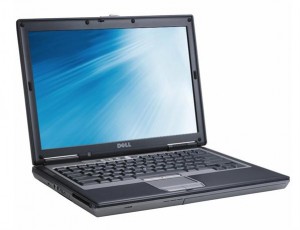
In this Dell laptop tutorial we are going to show you how to install and replace the Keyboard on your Dell Latitude D630 laptop. These installation instructions have be made into 4 easy to follow printable steps. We have also create a video tutorial that shows you how to install your Dell Latitude D630 Keyboard .
Before you begin
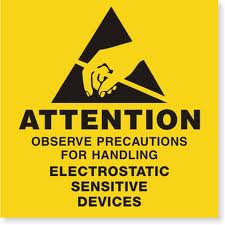 Please take the time read the following safety guidelines when working on static sensitive electrical components.
Dell repair manual service precautions
Tools needed for this laptop repair
- 1 x small phillips head screw driver
- 1 x small plastic scribe
Latitude D630 Keyboard
Latitude D630 Keyboard
|

Eligible for $5.00 1st Class Shipping. Only 2 left in stock - order soon. 
Eligible for $5.00 1st Class Shipping. In Stock 
Eligible for $5.00 1st Class Shipping. Only 0 left in stock - order soon. DIY Discount - Parts-People.com offers 5% off to all DO-IT-YOURSELFERS!
Use this coupon code to save 5% off these parts DIYM514
|
Video tutorial repair manual
Installation and Removal Instructions
Dell Latitude D630 Keyboard
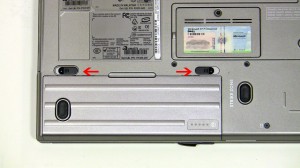
Step 1
- Slide the battery latches to the left and the right.
- Slide the battery down and lift out of the laptop.
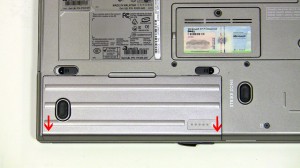
|
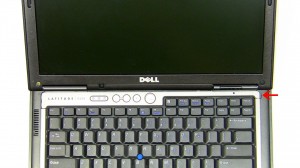
Step 2
- Open the laptop as wide as possible, approximately 180 degrees.
- On the right side of the power button cover, use a flat head screw driver to lift and unsnap the power button cover.
- Working from right to left, unsnap the power button cover and lift it from the laptop.
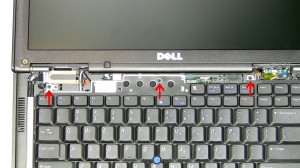
Step 3
- Unscrew the (3) 2mm x 3mm screws.
- Carefully lift the keyboard up, flip it over, and rest it on the palm rest.
- Carefully lift the keyboard up, flip it over, and rest it on the palm rest.
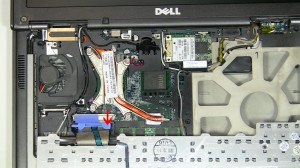
Step 4
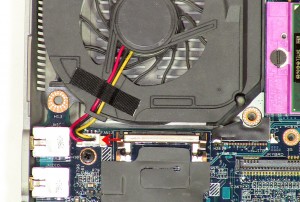
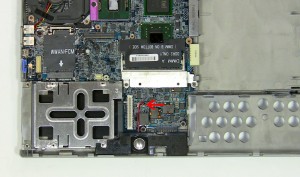
- Unlatch the keyboard cable retaining clip by pivoting the blue clip up.
- Unplug the keyboard cable by lifting the blue ribbon straight up.
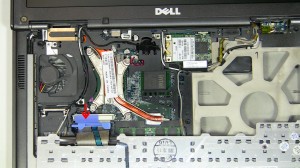
|